Suggested meta description: Learn what a web browser and a web page are in simple words. A clear, teacher-style guide for beginners with examples and practice tips.
Let me ask you something. You open your phone, type a few words, and a page appears. How does that happen?
Two things make it work. The first is a web browser. The second is a web page. If you are not sure what these are, don’t worry. You can also read what is web page for a clear explanation. Let’s go step by step here.
What Is a Web Browser?
A web browser is a software. You use it to visit websites. Chrome, Firefox, Safari, and Edge are all browsers.
Think of it like a window. Through this window, you look at the internet. You can’t see the internet directly. The browser shows it to you.
When you type a website address, the browser goes and finds it. Then it brings the content back to your screen. All of this takes just a second or two.
What Is a Web Page?
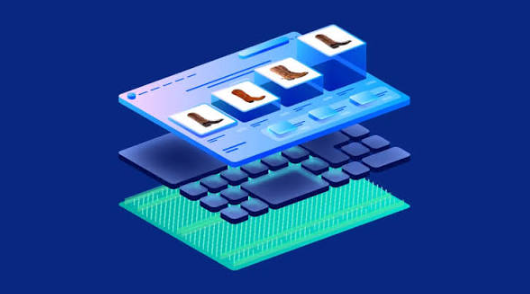
A web page is one single page of a website. It can have text, images, videos, and links.
Here is an easy way to remember it. A website is like a book. A web page is one page inside that book. You turn from one page to another by clicking links.
Every web page has its own address. We call this address a URL. For example, the page you are reading right now has its own URL.
See also: Possum Removal Northern Beaches – Licensed & Humane Wildlife Control Experts
How Do They Work Together?
Let me explain this with a simple example.
Imagine you want to read a story in a library. The library is the internet. The book is the website. The page you read is the web page. And you? You are the browser, the one who goes and gets it.
Here is what happens in real life:
- You type a web address in the browser.
- The browser sends a request to a server.
- The server sends the web page back.
- The browser shows it on your screen.
That’s it. It sounds big, but it is quite simple.
Why Should You Learn This?
You use the internet every day. You study, watch videos, and talk to friends online. So it helps to know how things work behind the screen.
When you understand the basics, you feel more confident. You can fix small problems on your own. You can also stay safer online.
Common Mistakes Students Make
Many students mix up these terms. Let me clear a few things up.
- Browser and search engine are not the same. Chrome is a browser. Google is a search engine.
- Website and web page are not the same. A website has many pages. A web page is just one of them.
- The internet and the web are not the same. The internet is the network. The web is a service that runs on it.
Remember these three points. They often come up in exams.
A Quick Practice
Try this at home or in class.
- Open your browser and visit any website.
- Click on a link and see a new web page open.
- Look at the address bar. Notice how the URL changes.
- Press the back button and return to the first page.
You just used a browser to move across web pages. Simple, right?
Final Words
Learning computers does not need to be scary. Start with the basics. Learn one idea at a time.
Now you know what a web browser does. You also know what a web page is. Keep practicing, and soon these terms will feel natural.
Keep learning, and keep asking questions.